
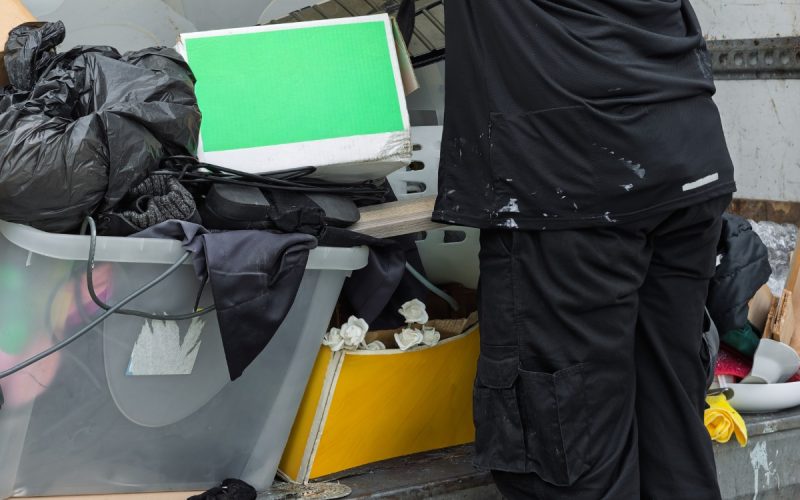
Nobody walks into work hoping to waste money. Still, common workplace habits create unnecessary waste every day through small choices that rarely seem worth mentioning.
One extra print job, another light left on, or a supply order nobody checked can slowly chip away at the company budget. None of these mistakes look dramatic, which makes them easy to ignore.
Your Printer Is Working Overtime
Printing still serves a purpose for contracts, jobsite plans, shipping records, and documents that require signatures. Trouble starts when every email, agenda, and early draft lands on paper before anyone asks whether a printed copy will help.
The EPA recommends waste prevention steps such as two-sided printing and electronic communication. Set printers to duplex mode, review drafts on screen, and save paper for documents that serve a clear purpose.
A stack of forgotten meeting agendas doesn’t become more useful because someone stapled it.
The Supply Closet Isn’t Bottomless
Bulk discounts can make a giant order look responsible. That bargain loses some shine when pens dry out, food expires, or unopened boxes disappear behind last year’s supplies.
Check existing stock and recent usage before placing another order. A shared inventory list can help employees see what the workplace already owns before five people order the same item.
Every office seems to have one cabinet packed with mystery cables, dead markers, and folders from an event nobody remembers.
Single-Use Items Add Up Fast
Disposable cups, plates, utensils, wipes, and water bottles make daily routines easier. Heavy use also fills bins quickly and creates another recurring expense.
Reusable mugs, refillable bottles, washable dishes, and durable cleaning cloths can reduce routine waste. Employees don’t need matching company tumblers unless management has a deep emotional attachment to branded drinkware.
Keep reusable items where people can reach them. Convenience shapes habits better than a stern reminder taped above the sink.
Electronics Don’t Need an Overnight Shift
Computers, monitors, printers, chargers, fans, and breakroom appliances can draw power long after everyone leaves. Idle equipment may continue using electricity even when nobody touches it.
The Department of Energy’s office energy guidance recommends shutting down computers and monitors when possible and unplugging equipment that uses power while idle.
Power-saving settings can handle part of the job without relying on everyone’s memory at the end of a long day. Labeled power strips can also help teams shut down shared equipment at once.
A Quick End-of-Day Check
Before the last person leaves, review a short list:
- Turn off monitors and unused computers.
- Shut down shared printers or activate sleep settings.
- Switch off lights in empty rooms.
- Unplug small appliances that don’t need constant power.
- Adjust heating or cooling settings for after-hours use.
The routine takes a few minutes and works better than a laminated poster everyone stops seeing by Wednesday.
The Nearest Bin Isn’t Always the Right Bin
Recycling programs struggle when employees can’t tell which container accepts paper, cans, food scraps, or trash. Confusing signs encourage guessing, and one wrong item can contaminate a larger load.
Place clear labels above every bin and use consistent colors throughout the workplace. Businesses should also confirm local recycling rules because haulers don’t accept the same materials everywhere.
A recycling symbol alone doesn’t answer every question. People need direct instructions they can understand while holding an empty yogurt cup.
The Breakroom Fridge Has Seen Things
Shared refrigerators often preserve forgotten lunches well past their prime. Food waste also results from large catering orders, untouched meeting snacks, and perishable items that go untracked. Encourage employees to label their food with a name and date.
Office managers should plan regular fridge cleanouts and order meeting food based on recent attendance, rather than assuming everyone will arrive hungry. When possible, workplaces can offer unopened leftovers to employees or collaborate with local donation organizations.
The EPA provides business resources for food waste reduction, donation, and composting.
Don’t Replace Equipment Too Soon
A slow laptop or jammed printer can test anyone’s patience. Replacing equipment before checking repair options can create electronic waste and raise purchasing costs.
IT teams can review software issues, battery replacements, component upgrades, or reassignment before approving a new device. A computer that can’t handle design software may still work well for basic office tasks.
When equipment reaches the end of its useful life, use a qualified electronics recycler or approved take-back program. Local rules may govern disposal for monitors, batteries, computers, and other electronic devices.
Every workplace also has a drawer full of chargers that fit absolutely nothing. Nobody knows where they came from, yet throwing them away somehow feels risky.
Small Maintenance Problems Don’t Stay Small
A dripping faucet, compressed-air leak, loose door seal, or neglected HVAC system can waste resources daily. Employees often spot these issues before managers do, but many workplaces lack a simple way to report them.
Establish a straightforward channel for maintenance requests. Instruct employees to include the location, a brief description, and a photo if helpful.
This system saves time and stops small leaks from turning into long email threads with no clear responsible party.
Some Meetings Should’ve Been Emails
Waste doesn’t always land in a dumpster. Meetings can consume paid time, power, printed materials, travel, and food without producing a decision.
Before scheduling one, identify the outcome the group needs. Invite people who directly support that outcome and cancel the meeting when a message or shared document can handle the job.
A calendar invite doesn’t gain value because twelve people accepted it.
Nobody Tracks What Gets Thrown Away
A company can’t correct waste patterns it never reviews. Tracking gives businesses a starting point for setting goals and checking progress.
The EPA recommends tracking waste and recycling to help businesses identify where materials and money keep slipping away.
A basic review can track trash volume, recycling, spoiled supplies, damaged products, and frequent disposable items. Teams can compare this data with purchasing records to identify recurring issues. Managers don’t require complex reports filled with unnecessary charts; a straightforward monthly review can uncover hidden patterns.
Tracking links daily decisions to real spending and storage requirements, providing managers with clearer justification to modify habits that employees may have overlooked.
Better Habits Need an Easy Path
Policies rarely change behavior when the better choice feels confusing or inconvenient. Put recycling bins where waste occurs and store reusable supplies where employees can reach them.
Companies should treat minimizing waste as an everyday operating goal. Clear expectations help employees connect small choices with purchasing costs and workplace clutter.
Managers should explain why each change matters and share results in plain language. “We reduced paper orders this month” carries more weight than a twelve-slide presentation packed with arrows and stock photos of leaves.
Final Thoughts
The most effective workplace habits create less unnecessary waste because they fit into the workday without slowing people down. Small changes can cut costs and clear clutter without turning every employee into a full-time trash detective.
Nobody expects a flawless workplace. Paying attention to routine habits keeps waste from piling up and helps the business spend money on work that matters.